
ORBIT OS · 1.0 Public Beta 2 PUBLIC BETA
ORBIT OS
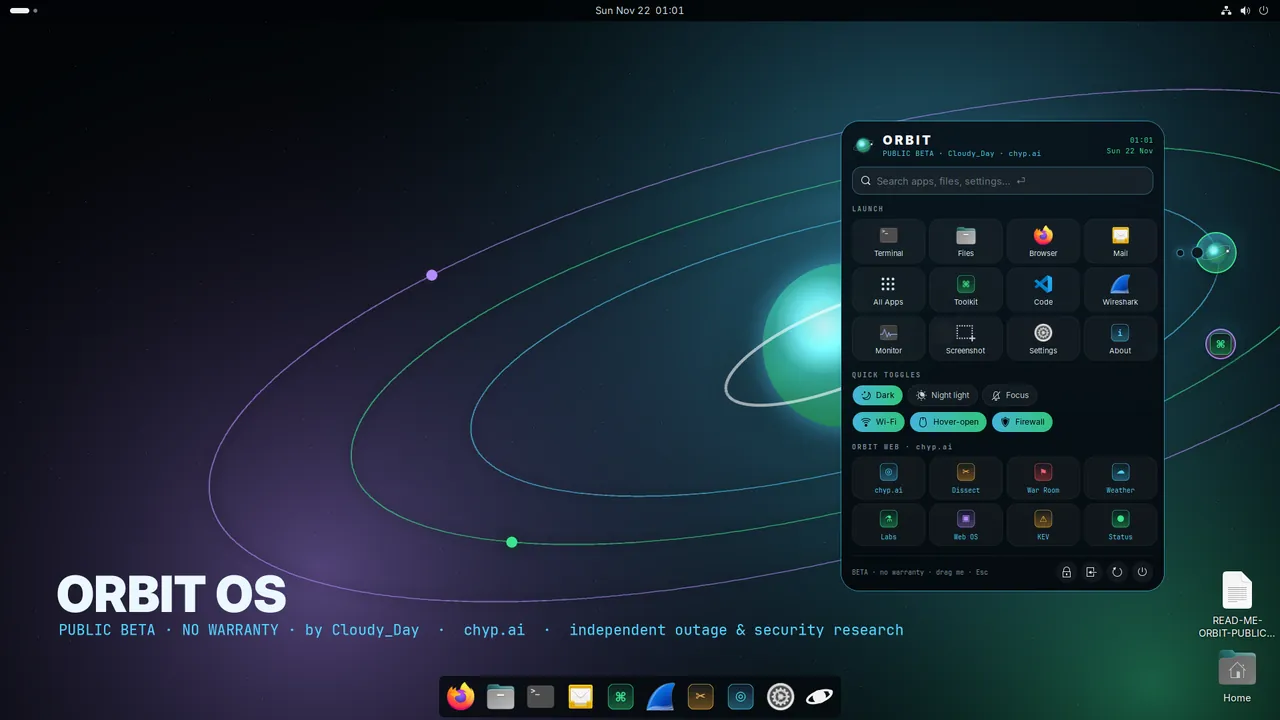
A security-research desktop by Cloudy_Day: Ubuntu 24.04 LTS + GNOME 46 with the ORBIT orb for navigation, ORBIT Hub, and a curated set of network, web, forensics and hardening tools from the official Ubuntu archive. Boots live from a USB stick or in a VM, and new in beta 2: a guided installer (optional disk encryption, install alongside another OS), Secure Boot support and a GUI Orb Editor.
Download the beta (3.1 GiB)Report a bug / give feedback
Help us break it in: tell us what fails on your hardware. No account needed to download. No ads, no trackers on this page.
Read this before you download
- Beta softwareExperimental and unfinished. Expect bugs, rough edges and breaking changes between builds.
- No warrantyProvided “as is”, without warranty of any kind, express or implied. No liability for any damage or data loss.
- Use at your own riskBack up anything important first. Don't run it on a machine you can't afford to lose.
- Beta installerThe live session writes nothing to your disks. The Install ORBIT OS app does: it can erase a disk or resize partitions. Back up first; dual-boot with Windows is untested on real hardware.
- Secure BootBeta 2 boots with Secure Boot on through Ubuntu's Microsoft-signed shim and Canonical-signed GRUB and kernel (tested in a VM). If your PC refuses to boot it, turn Secure Boot off and tell us.
- Authorized use onlyThe security tools are for learning, defence and testing systems you own or have written permission to test. Unauthorized scanning or access may be illegal where you live.
- Independent researcher, not affiliatedCloudy_Day / chyp.ai is independent. ORBIT OS is not affiliated with or endorsed by Canonical, Ubuntu, GNOME, Microsoft, or any tool's authors or any government agency.
- Correlation is not causationORBIT's outage data is tracked since 2024; anything the OS or the site shows next to an outage is context, not proof of cause.
Download
⬇ orbit-os-1.0-beta2-amd64.isoSHA-256 file
Size: 3.1 GiB (3,289,022,464 bytes) · Architecture: 64-bit x86 (amd64) · Boots: UEFI (Secure Boot on or off) and legacy BIOS · Built: 21 Nov 2026
SHA-256: 24ac4fffca45a964818a22c1e1a16a7dce5a7b5f4adba39410e091e645c89ea1
Verify
Linux:    sha256sum -c orbit-os-1.0-beta2-amd64.iso.sha256
macOS:    shasum -a 256 orbit-os-1.0-beta2-amd64.iso
Windows:  Get-FileHash .\orbit-os-1.0-beta2-amd64.iso -Algorithm SHA256   (PowerShell)
The hash must match exactly. If it doesn't, delete the file and download again. Downloads resume (HTTP Range supported).
How to boot it
- Insert a USB stick of 8 GB or more.
- Flash from file → pick the ISO.
- Select target → the USB stick → Flash.
- Device: your USB stick. Boot selection: the ISO.
- Click START. When asked, choose “Write in DD Image mode” (recommended; ISO mode is not supported for this image).
lsblk            # find the stick, e.g. /dev/sdX
sudo dd if=orbit-os-1.0-beta2-amd64.iso of=/dev/sdX bs=4M status=progress conv=fsync
macOS: diskutil list, then of=/dev/rdiskN after diskutil unmountDisk.
- VirtualBox, VMware, GNOME Boxes, virt-manager or QEMU/KVM: new VM, Linux / Ubuntu 64-bit.
- 4 GB RAM (8 GB for “load into RAM”), 2+ CPUs, attach the ISO as the optical drive. EFI or BIOS both work.
qemu-system-x86_64 -enable-kvm -m 4096 -smp 2 -cdrom orbit-os-1.0-beta2-amd64.iso
Apple Silicon Macs can't run amd64 at native speed; use an Intel/AMD PC.
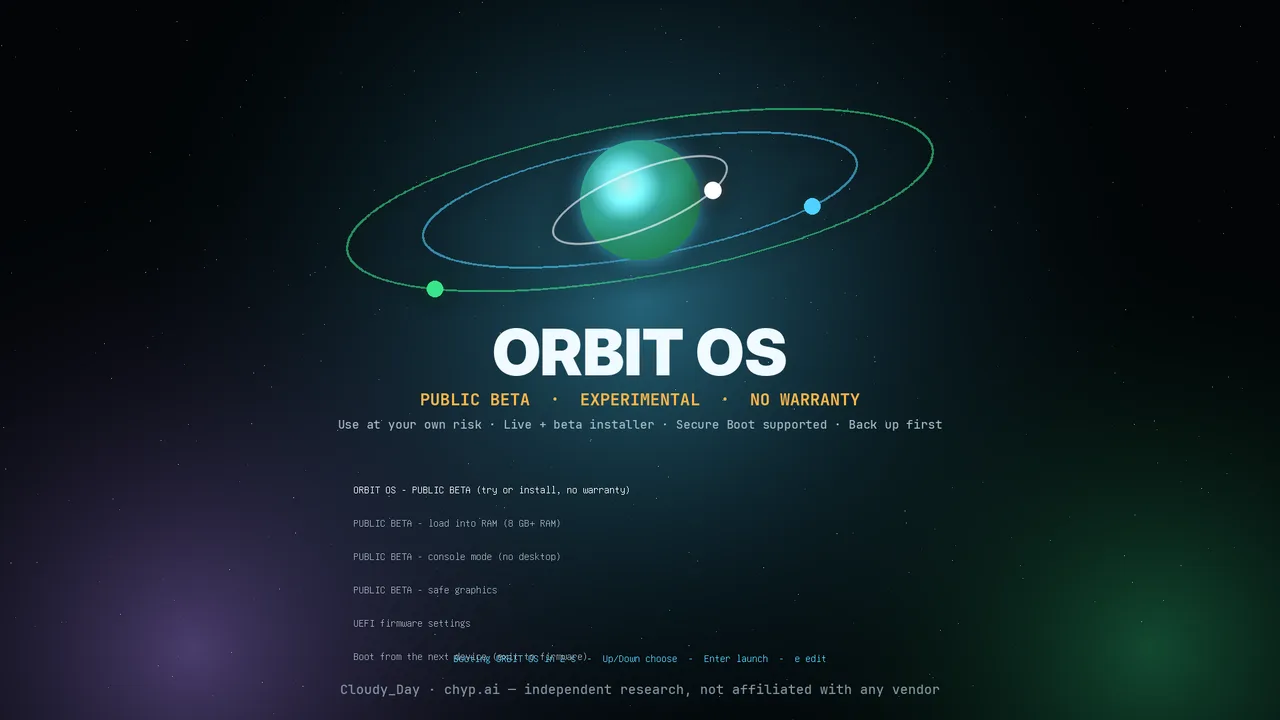
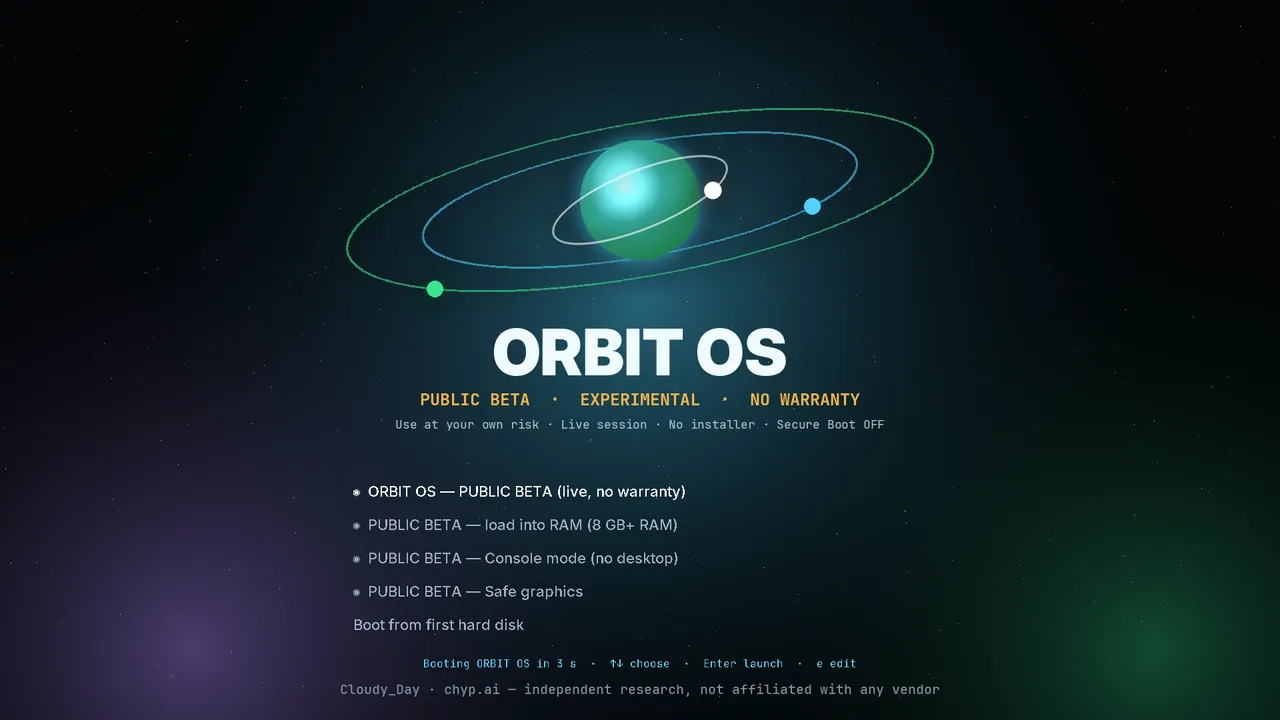
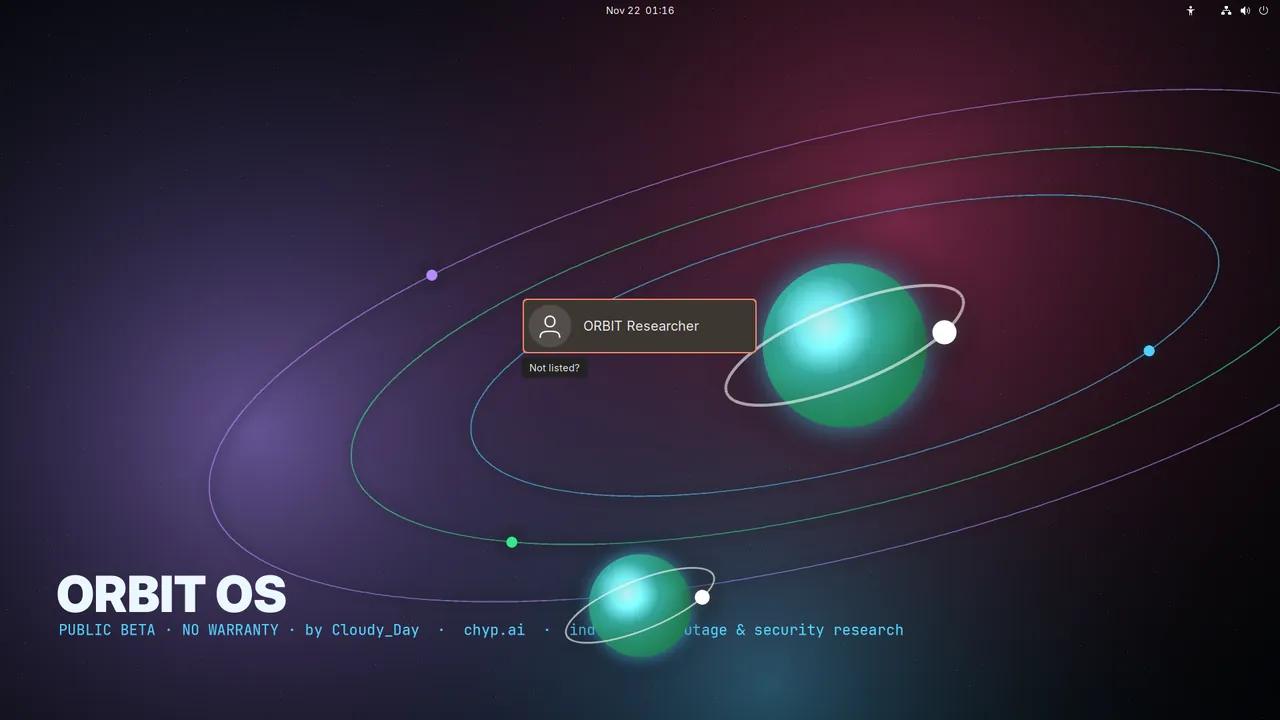
Then boot from the USB stick (often F12, F11, Esc or F8 at power-on). Secure Boot can stay on; if your firmware rejects the stick, turn Secure Boot off and report your PC model. Pick ORBIT OS - PUBLIC BETA (try or install, no warranty). If the screen stays black, choose Safe graphics. You land in the desktop as user orbit (no password; sudo works without one in the live session).
Installing (beta)
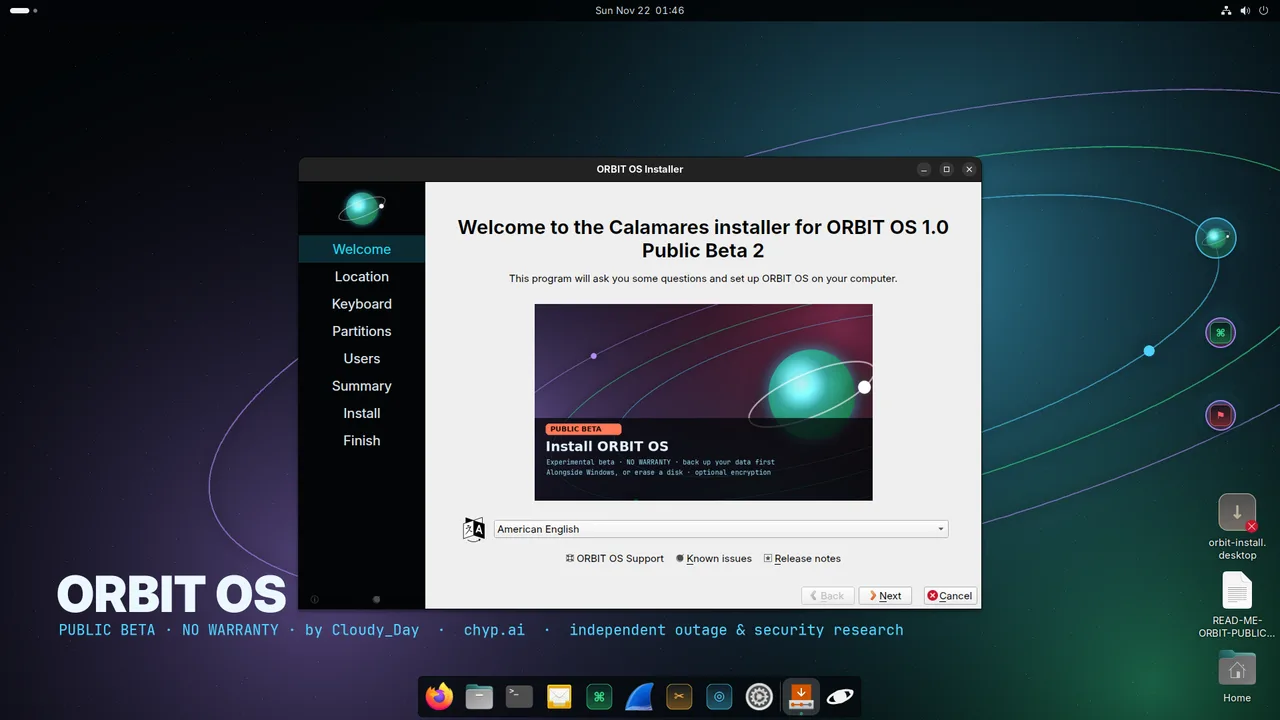
- Boot the live session and accept the beta notice, then open Install ORBIT OS (orb tile, app grid, or desktop icon). Accept the second warning.
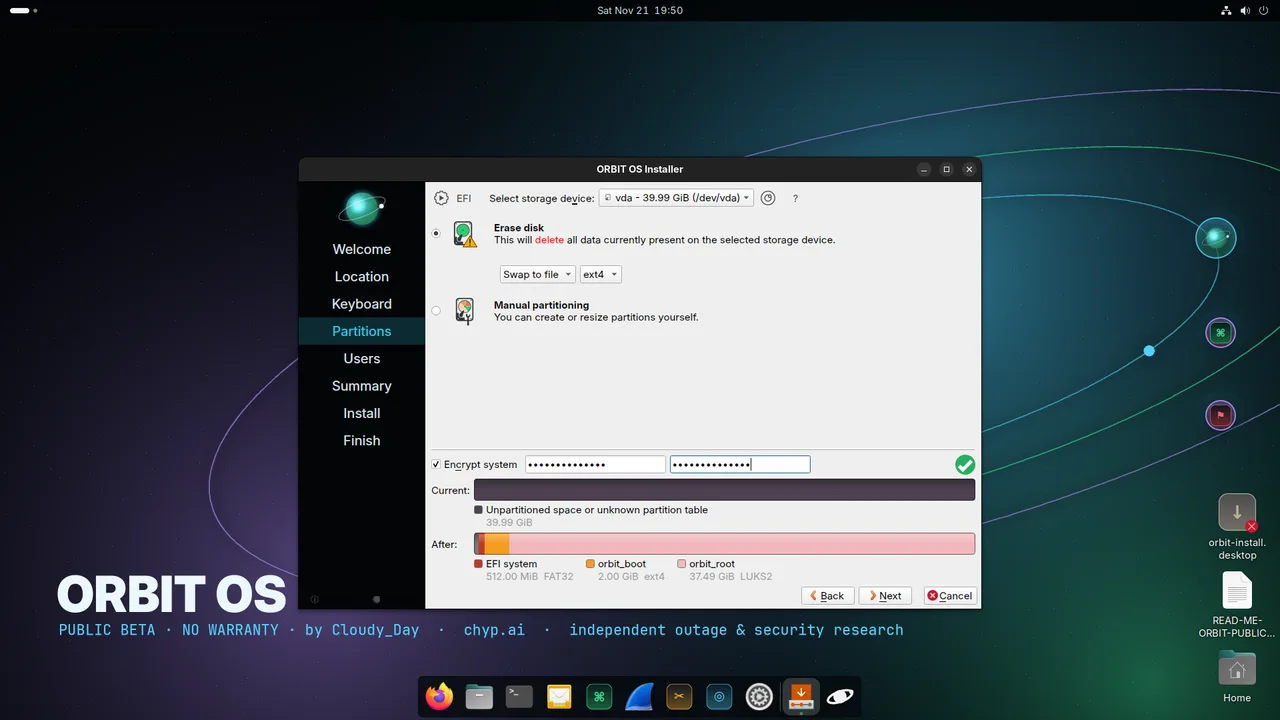
- Pick Erase disk (whole disk; optional Encrypt system with LUKS2) or Install alongside (shrinks an existing partition; Windows users: turn off BitLocker and Fast Startup and back up first), or Manual partitioning.
- Create your user. The installer sets up GRUB (Secure Boot capable on UEFI) with os-prober, so other operating systems it finds are listed in the boot menu.
- Reboot, remove the USB stick, enter the disk passphrase if you chose encryption, and log in. Updates come from the Ubuntu archive (
sudo apt update && sudo apt upgrade); ORBIT's own OTA updates are not ready yet.
Screenshots
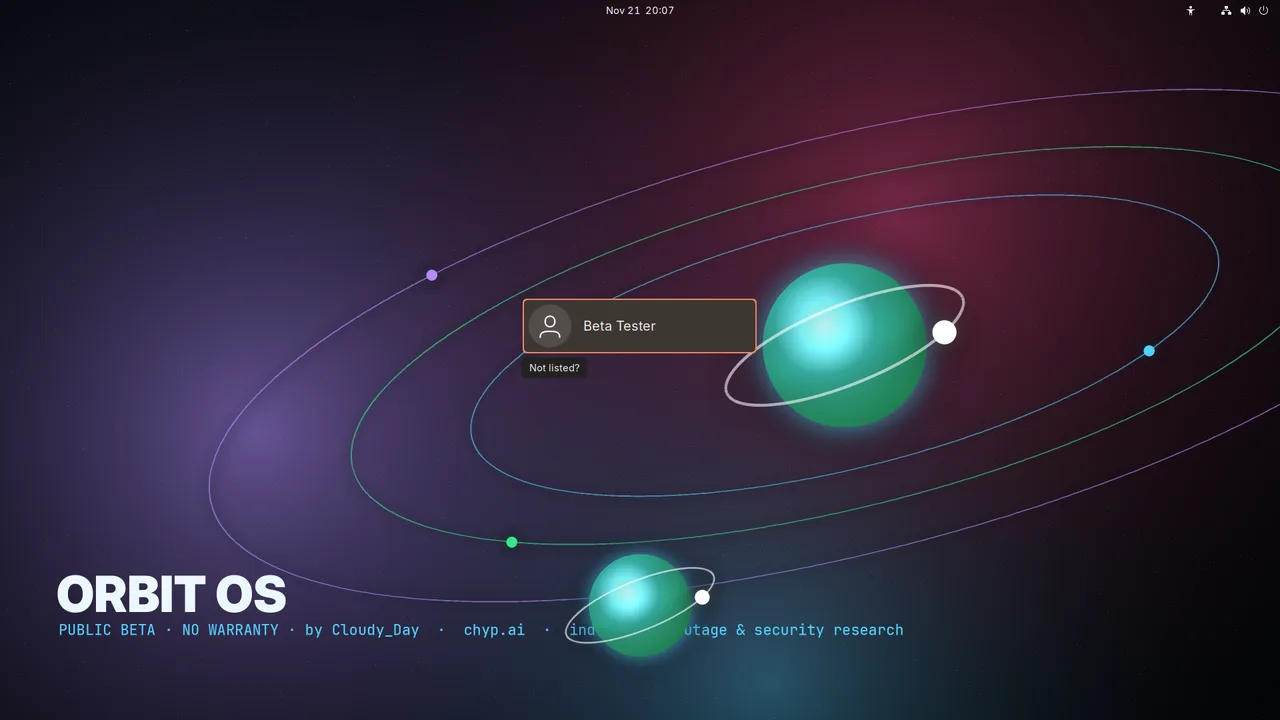
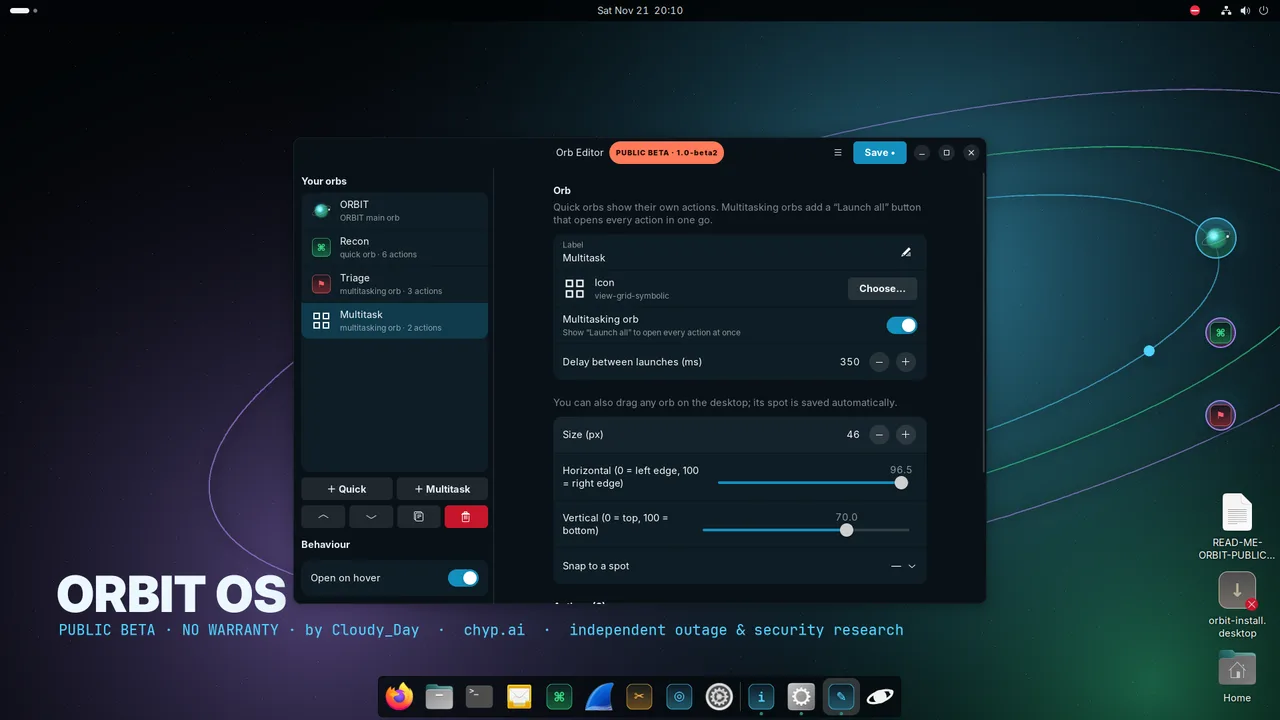
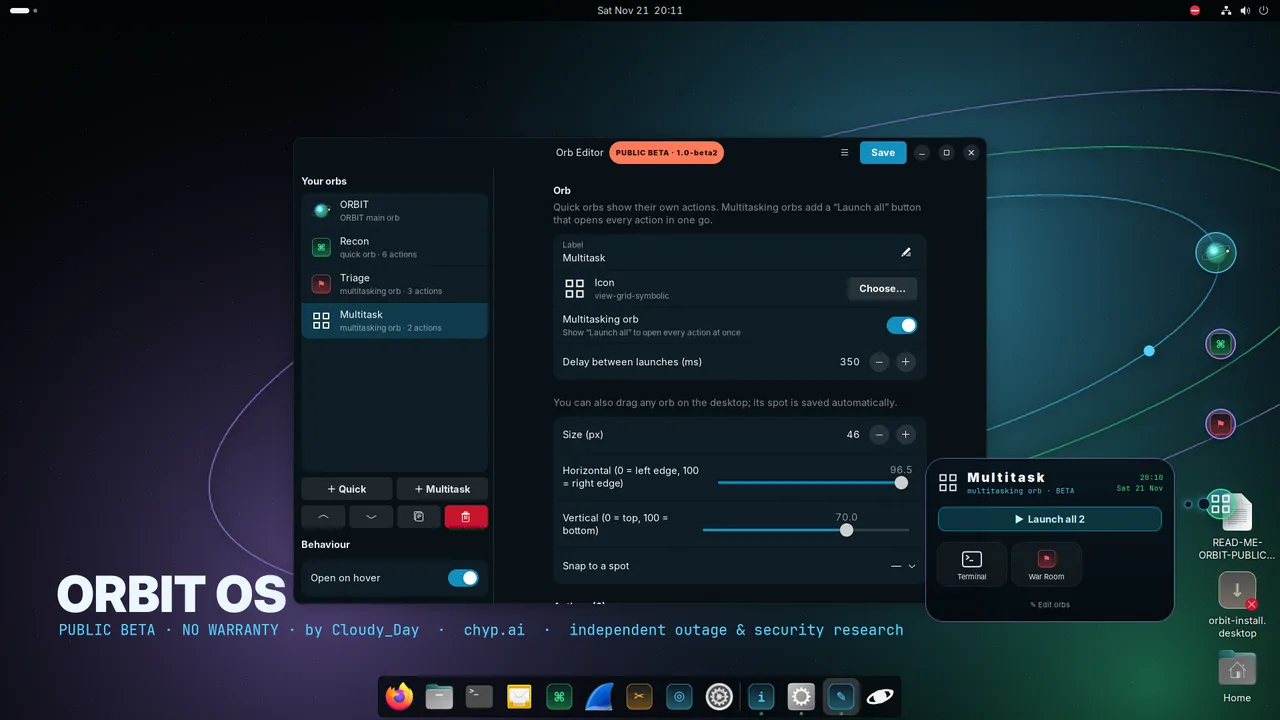
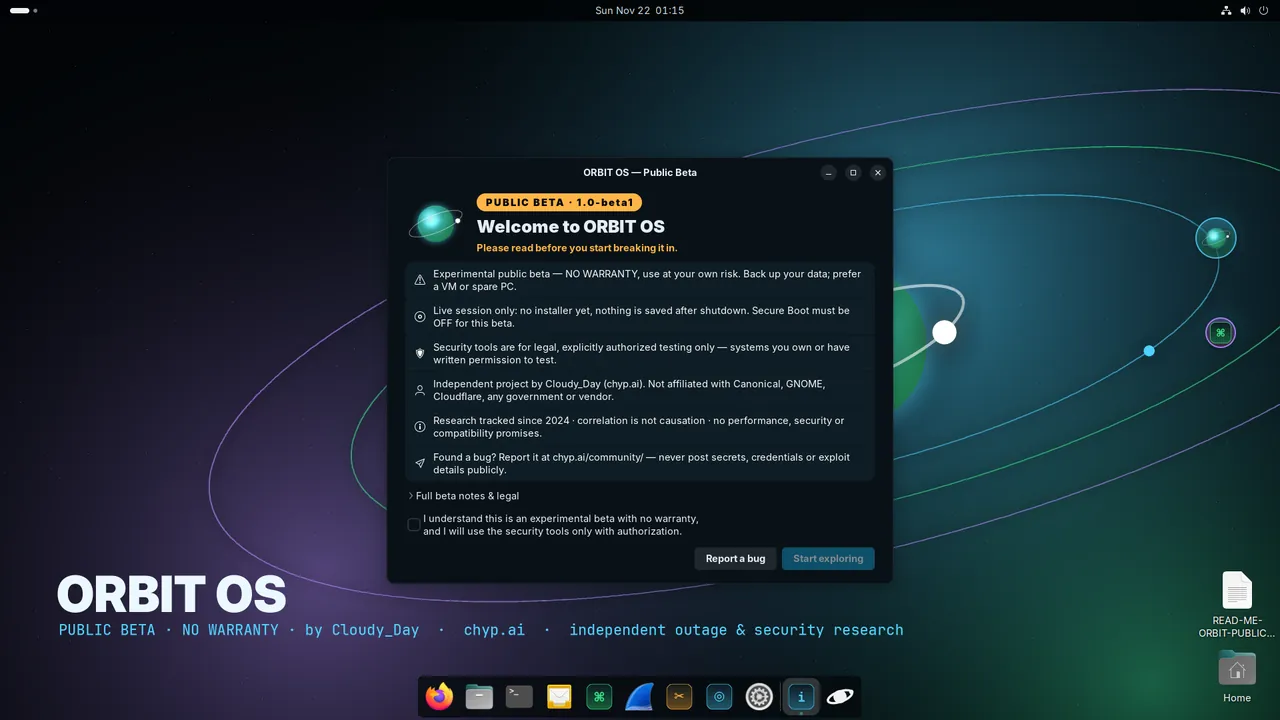
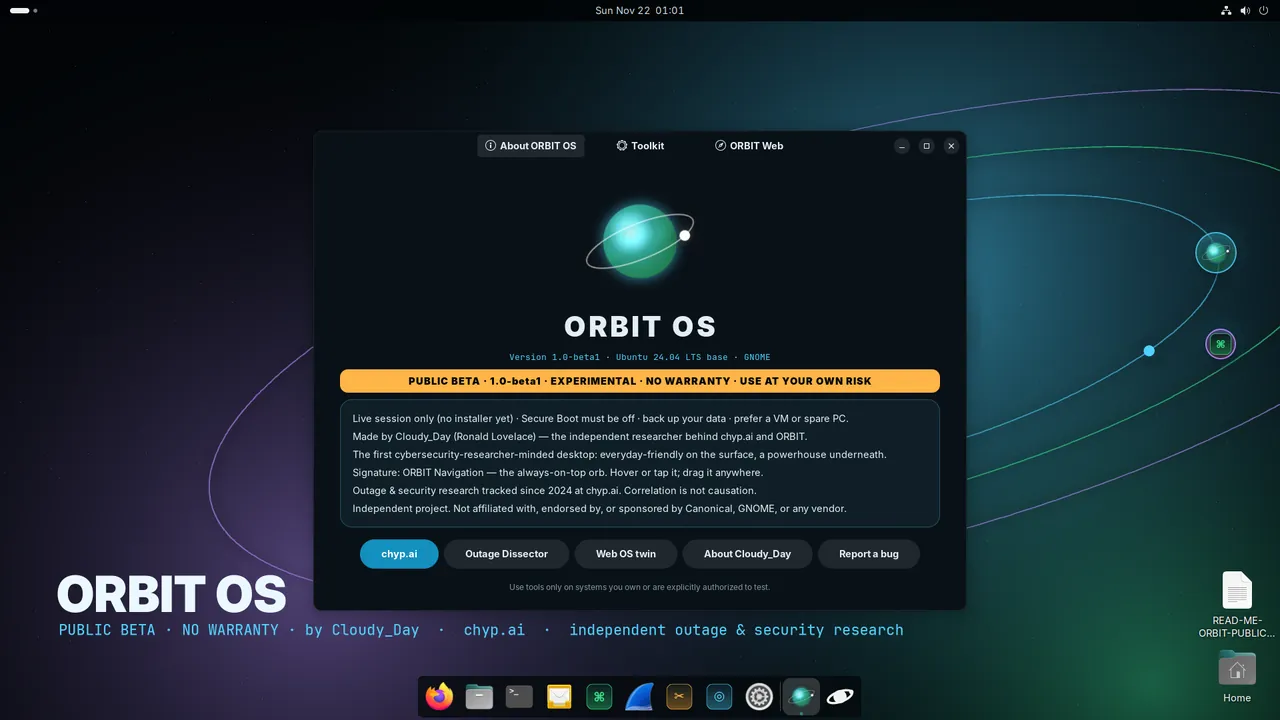
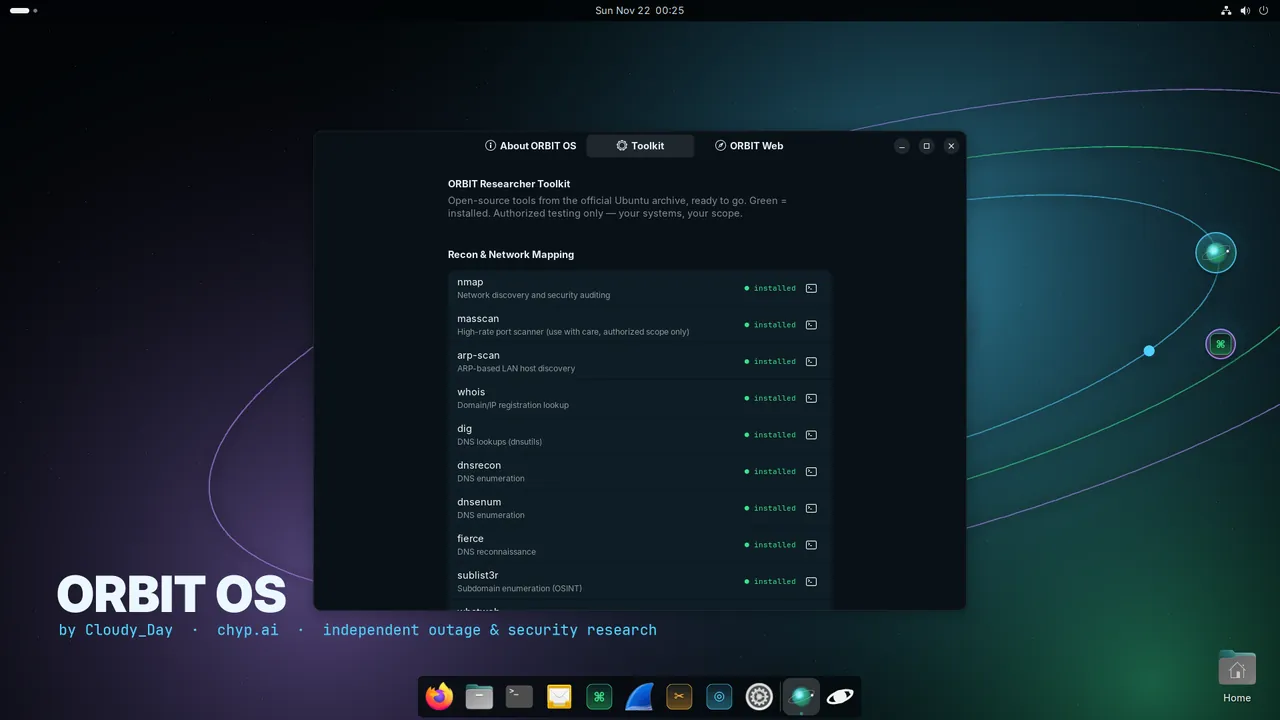
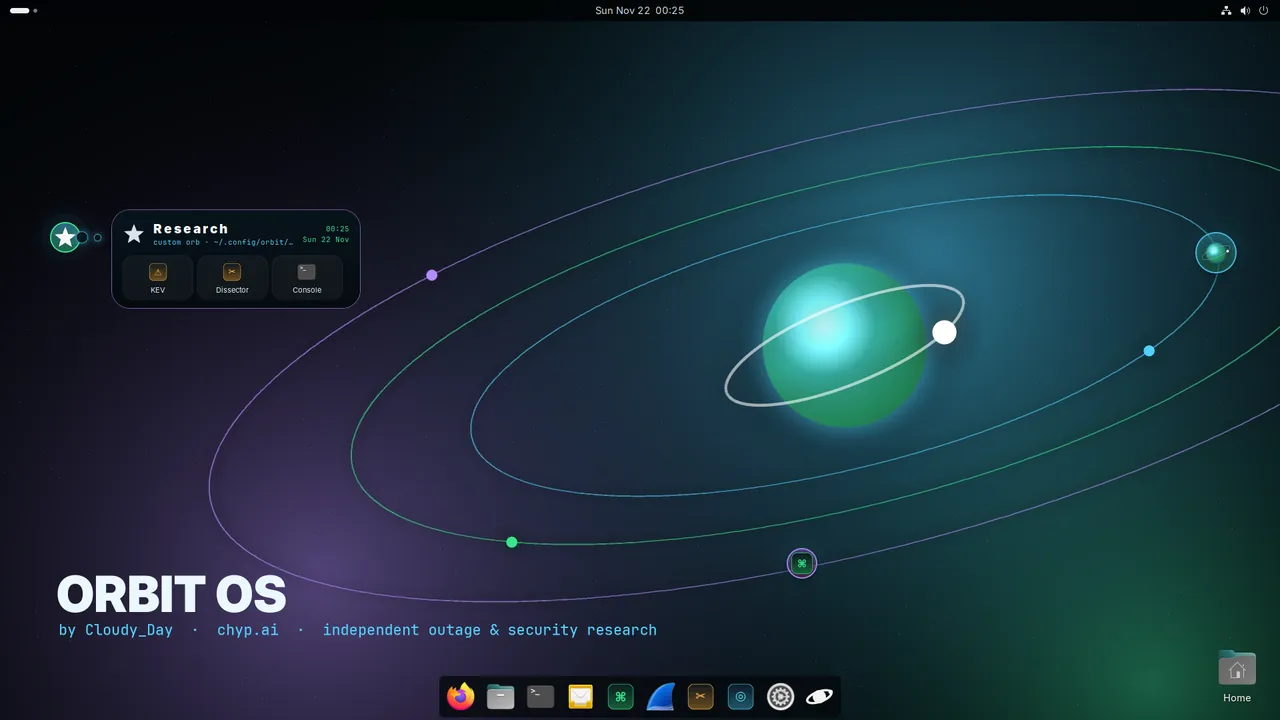
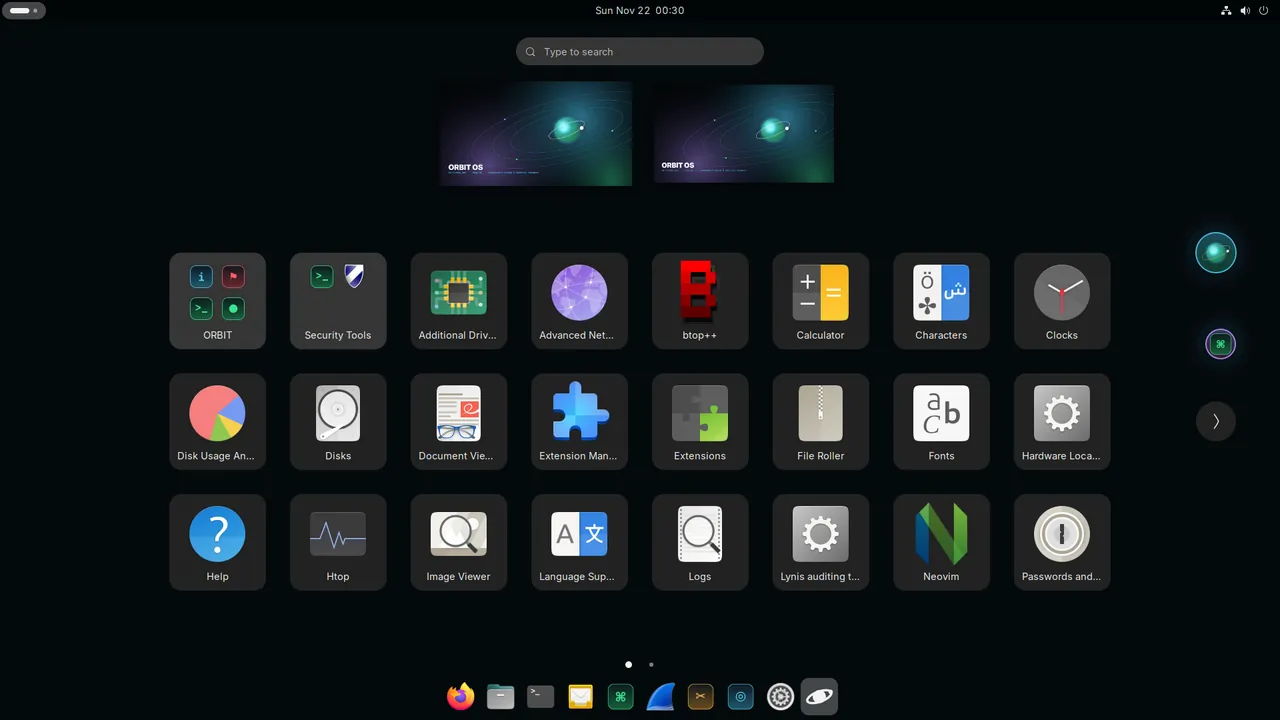
What's in beta 2
Calamares (from the Ubuntu archive) with ORBIT's own beta branding: erase disk, install alongside another OS, or manual partitioning; optional LUKS2 full-disk encryption; GRUB with os-prober for dual-boot menus; UEFI and BIOS.
The ISO and installed system boot through Ubuntu's signed shim, Canonical-signed GRUB and kernel, so most PCs no longer need Secure Boot turned off. Verified in a Secure Boot VM (Microsoft keys enrolled).
A GUI to add, remove, reorder and duplicate orbs; pick icons (theme, ORBIT or your own file) and actions (apps, commands, URLs, built-ins); set size and position; saves with a backup. Open it from the orb, the app grid, or orbit orb edit.
Mark an orb as multitasking and it gets a Launch all button that opens every action on it, staggered. A sample “Triage” orb is included.
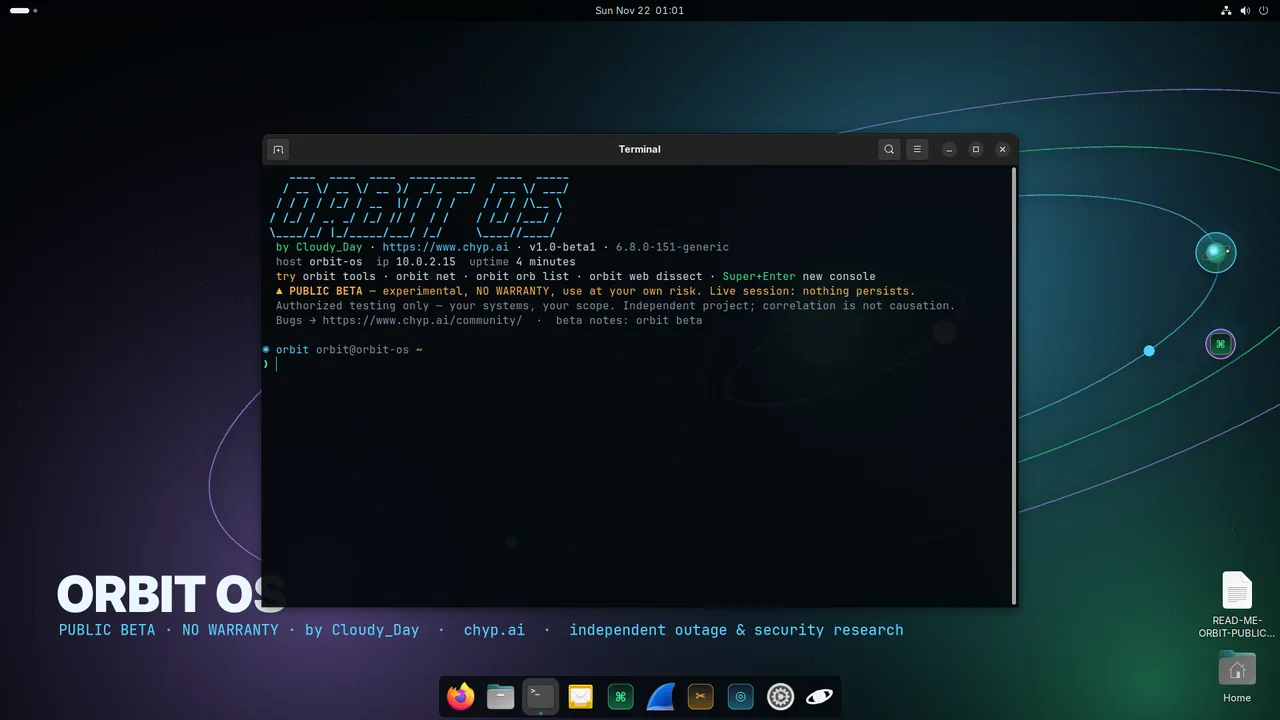
A floating orb you can drag anywhere. Hover or click to open apps, security tools, quick toggles (Wi-Fi, firewall, dark mode, Do Not Disturb) and search. Orbs live in ~/.config/orbit/orbs.json and reload live; add “quick” orbs for your own workflows.
One window for the toolkit (grouped, with descriptions), network info, chyp.ai shortcuts and About, with a Report-a-bug button.
orbit about · tools · net · web · hub · orb (edit, multitask) · beta. A branded terminal banner with the beta warning and authorized-use reminder.
ufw firewall on; Tor, SSH server, ClamAV updater and container autostart off until you turn them on. No snaps: Firefox from Mozilla's APT repo, VS Code from Microsoft's repo.
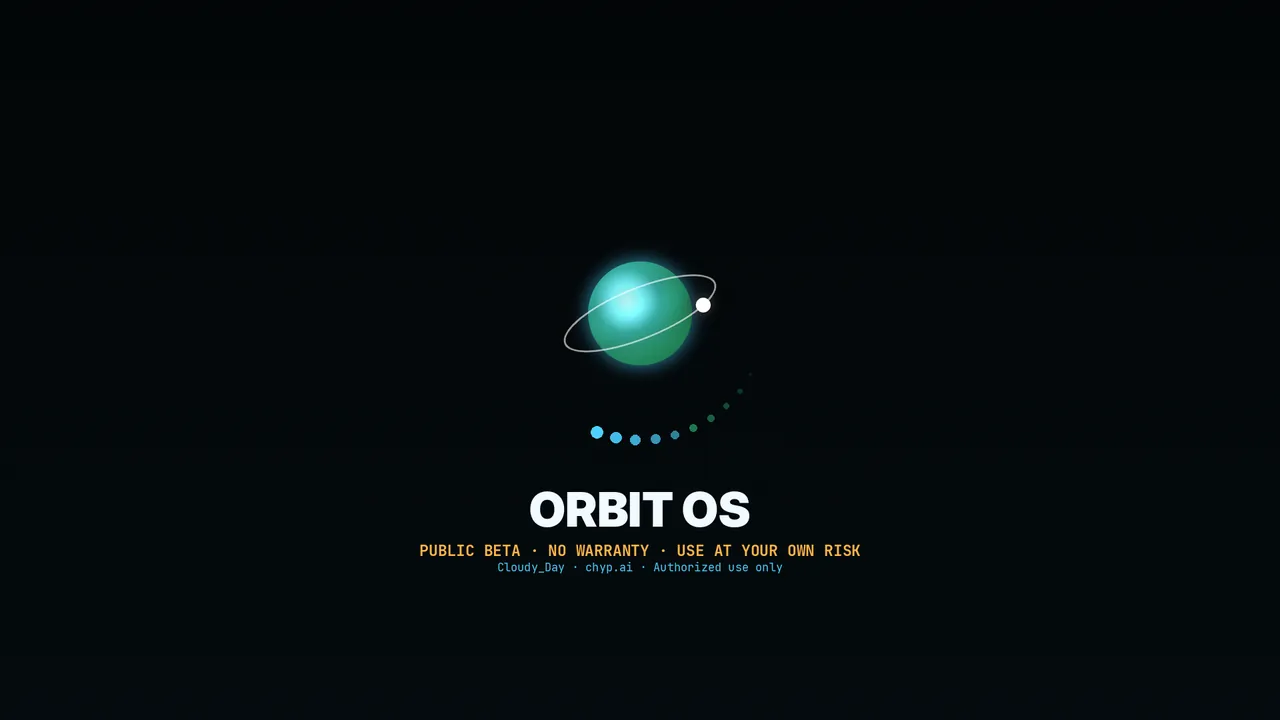
Kernel, drivers and packages straight from the official Ubuntu archive. GNOME 46 with ORBIT theme, wallpapers, boot menu and splash.
Live, load-into-RAM (8 GB+), console mode, and safe graphics, for UEFI and legacy BIOS from one hybrid ISO.
Tools included
nmap, ncat, ndiff, masscan, arp-scan, Wireshark, tshark, tcpdump, mtr, traceroute, iperf3, iftop, nload, nethogs, ethtool, socat, netcat
dig/host (dnsutils), ldns, whois, dnsrecon, dnsenum, fierce, sublist3r, curl, wget, HTTPie, whatweb, nikto, gobuster, ffuf, dirb, wfuzz, sqlmap, mitmproxy
OpenSSL, GnuPG, sslscan, testssl.sh
John the Ripper, hashcat, hashid, hydra, aircrack-ng
binwalk, foremost, TestDisk/PhotoRec, The Sleuth Kit, YARA, ExifTool, hexedit, xxd, radare2, gdb, strace, ltrace
Tor + torsocks (off by default), proxychains4, WireGuard tools, OpenVPN, OpenSSH (server off by default)
ufw firewall (on by default) + Gufw, nftables, Lynis, chkrootkit, rkhunter, ClamAV (freshclam off by default)
Python 3, pip, venv, pipx, Scapy, Impacket, requests, git, build-essential, CMake, jq, yq, VS Code (Microsoft repo), Podman
tmux, zsh, htop, btop, ncdu, tree, ripgrep, fd, fzf, bat, Neovim
99 packages, all from the official Ubuntu 24.04 archive except Firefox (Mozilla) and VS Code (Microsoft). OWASP ZAP is not in the Ubuntu archive and is not included.
Known issues in beta 2
- The installer is beta. Erase + encrypted install and boot are tested in QEMU/KVM (UEFI with Secure Boot); dual-boot alongside Windows has not been tested with a real Windows install. Back up before you try it.
- With disk encryption, the passphrase prompt can be hard to see behind the boot splash on some screens; just type the passphrase and press Enter (or press Esc to show the text prompt).
- In the live session the desktop “Install ORBIT OS” icon may show as untrusted; right-click → Allow Launching, or use the orb tile or app grid.
- Secure Boot: firmware without the Microsoft UEFI CA (some locked-down or very old PCs) will refuse to boot it; turn Secure Boot off there.
- Big download (3.1 GiB); first boot from a slow USB 2.0 stick can take a few minutes.
- “Load into RAM” needs about 8 GB of RAM.
- Some GPUs (especially newer NVIDIA) may need Safe graphics; proprietary drivers are not included.
- New orbs from the Orb Editor appear at a default spot and can overlap desktop icons; drag them where you want them.
- Tested so far in QEMU/KVM only; real-hardware reports are exactly what this beta is for. ORBIT OTA updates and the ORBIT Store are not available yet.
- Apple Silicon and ARM devices are not supported (amd64 only).
Beta feedback
Found a bug, a boot failure on your hardware, or have an idea? Post it on the ORBIT OS board in CHYP Community. Include your hardware or VM, boot mode (UEFI/BIOS), and what you saw. Please report security problems in ORBIT OS itself privately (see security.txt), not in public threads.
Roadmap
- Installer + dual-boot shipped in beta 2 (beta quality): guided install, Secure Boot via Ubuntu's signed shim, optional disk encryption; real-hardware dual-boot testing ongoing
- Orb editor shipped in beta 2: add, remove and move orbs, pick icons and actions, multitasking orbs
- ORBIT Store + OTA updates curated tool bundles and over-the-air updates
- USB Lite a smaller image with persistence for everyday carry
- Web VM twin try the ORBIT desktop in your browser before you download
Roadmap items are plans, not promises, and dates aren't fixed.
Ubuntu is a registered trademark of Canonical Ltd. GNOME is a trademark of the GNOME Foundation. Firefox is a trademark of the Mozilla Foundation. Visual Studio Code is a trademark of Microsoft. Other names belong to their owners and are used only to describe what is included. ORBIT OS is an independent project and is not endorsed by any of them. Open-source licences of the included packages are in /usr/share/doc on the image. Also see CHYP OS, the in-browser lab.